Vision 365 Work Orders & Dispatching turns maintenance plans, service requests and alarms into work orders and gets them done: one dispatch board for in-house technicians and contractors, a mobile app for execution in the field and a complete record of what was done, with which materials and at what cost.
The module works with Assets Maintenance, Inventory, Procurement and Budgeting, so missing parts become purchase requests, costs land on the right budget line and every asset keeps its full intervention history.
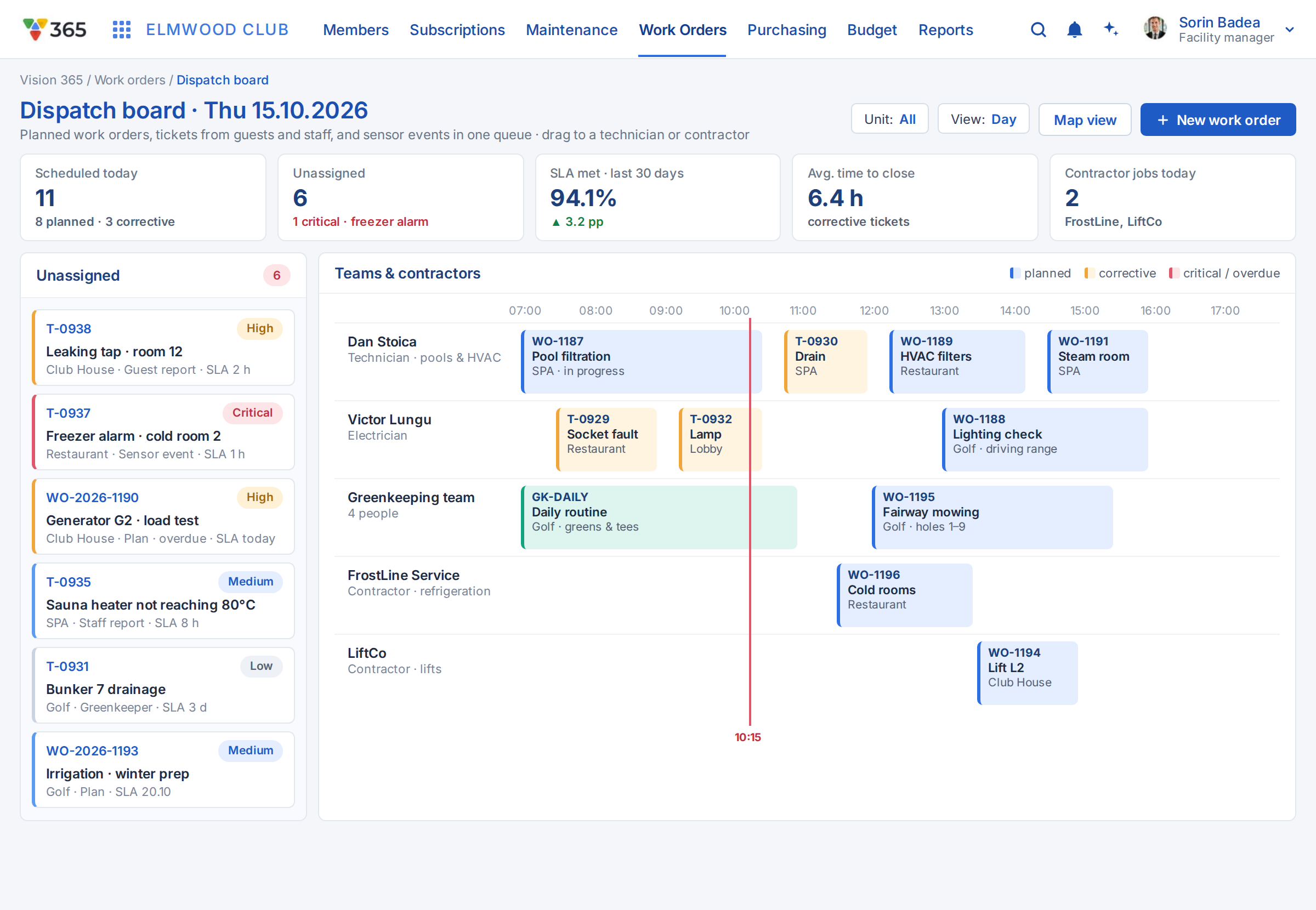
A dispatch board for every team and contractor
Work orders from maintenance plans, service requests and alarms land in one queue. Dispatchers assign them by skill, location, availability and SLA to in-house technicians or contractors, and rebalance the day with drag and drop as priorities change.
- Unassigned queue with priority and SLA
- Lanes per technician, team or contractor
- Drag and drop scheduling with live status
- Skills, location and availability matching
- Contractor work orders under contract terms
- Escalation when the SLA is at risk
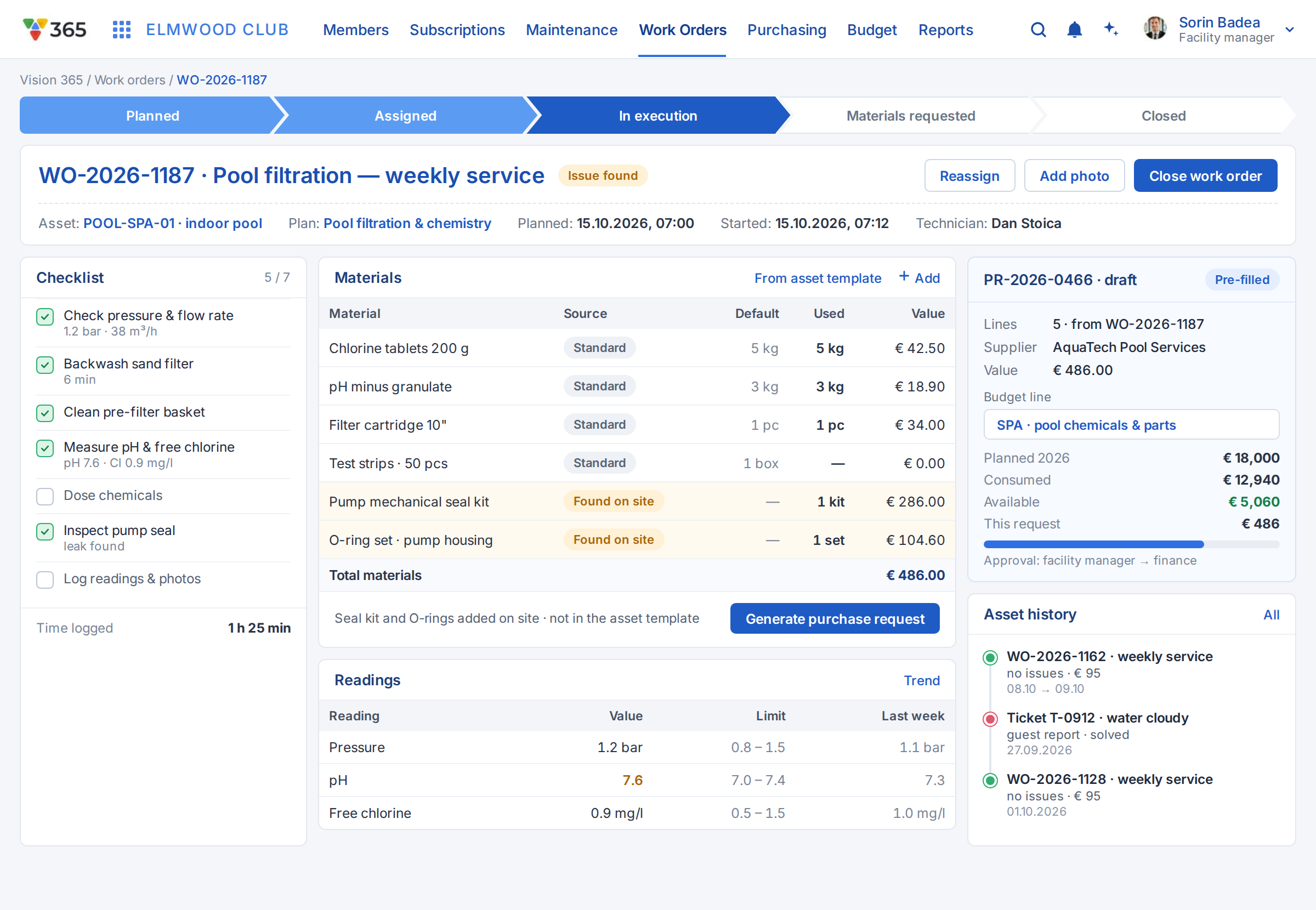
Work orders with checklists, readings and materials
Each work order carries the asset, location, checklist, required readings and the materials planned for the job. Technicians record what was done, parts consumed and time spent; missing parts become a purchase request pre-filled from the work order and linked to the budget line.
- Asset, location and history on one screen
- Checklists and mandatory readings
- Materials planned versus consumed
- Purchase request pre-filled from the job
- Budget line set automatically
- Labour, material and contractor costs
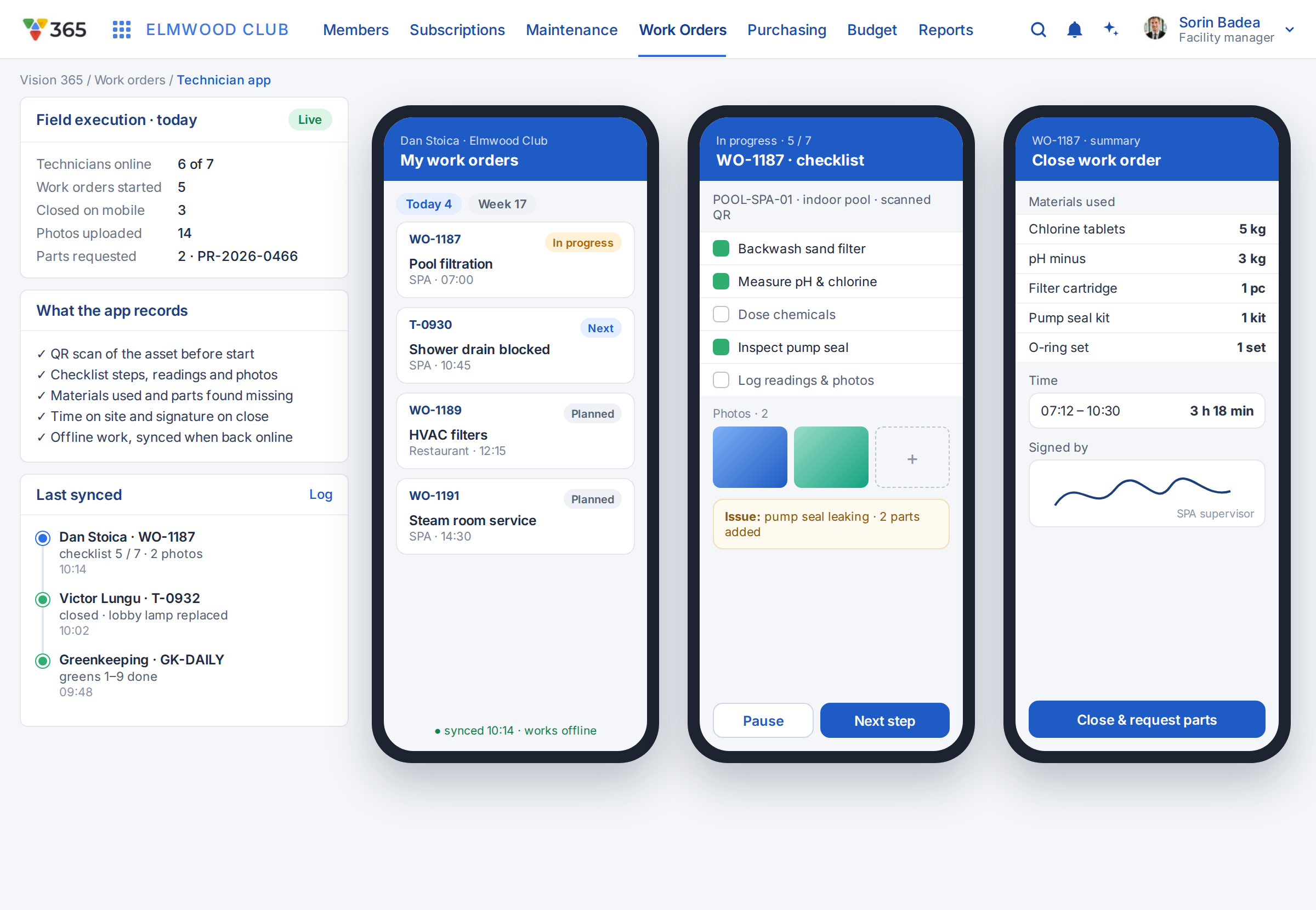
Mobile execution for technicians in the field
Technicians receive their work orders on the phone, find the asset, follow the checklist, capture readings and photos and collect the sign-off on the spot. Every status change reaches the dispatch board as it happens.
- Daily list of assigned work orders
- Asset details and intervention history
- Checklists, readings and photos
- Start, pause and close with time tracking
- Sign-off by the requester or manager
- Live status back to the dispatch board
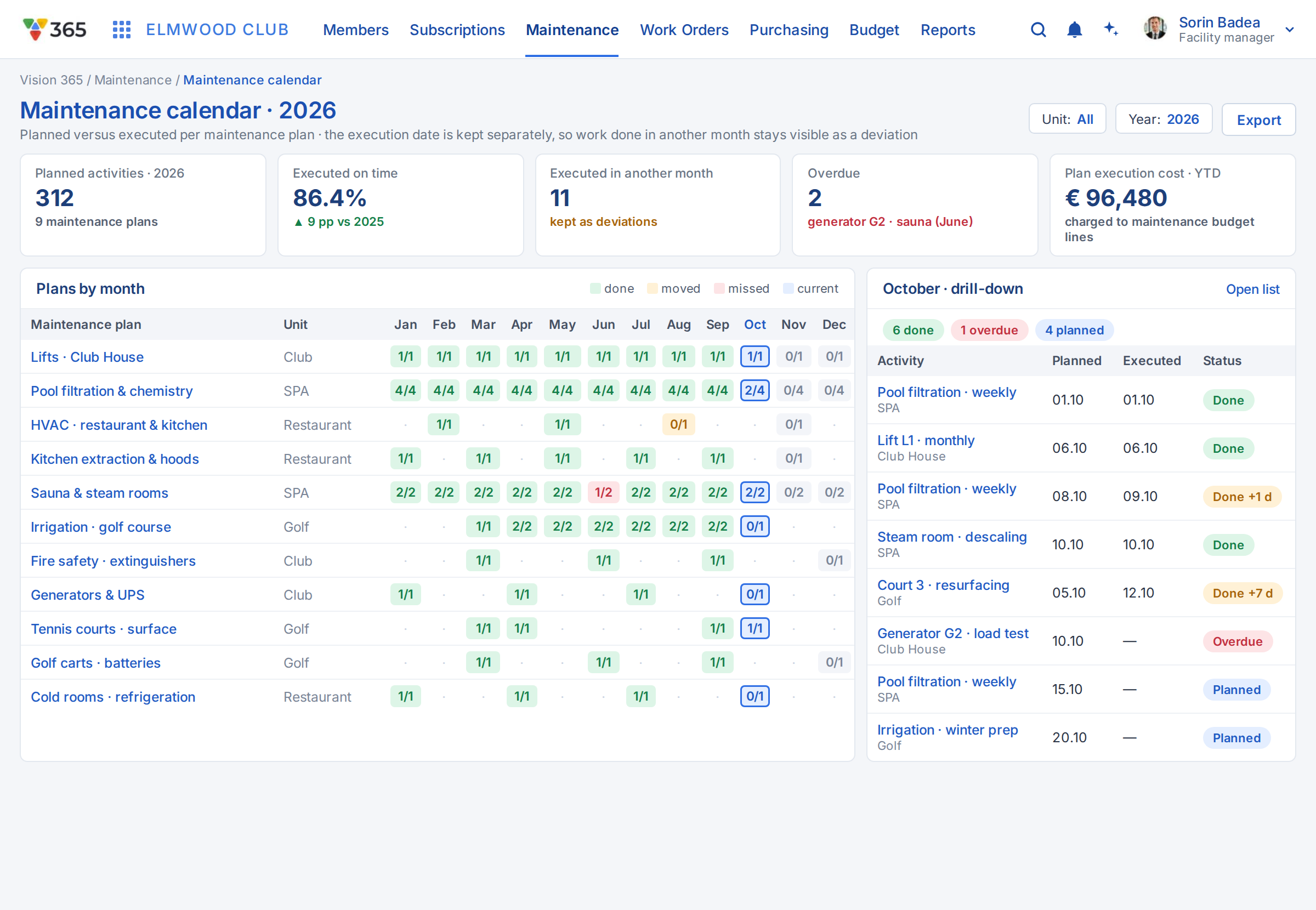
Planned versus executed, month by month
Preventive plans generate work orders automatically according to frequency and calendar. Managers compare planned and executed interventions per month, see what is overdue and drill down to the work orders behind every figure.
- Work orders generated from maintenance plans
- Planned versus executed per month
- Overdue interventions highlighted
- Drill-down to every work order
- Views per asset, location and team
- Execution history ready for audits